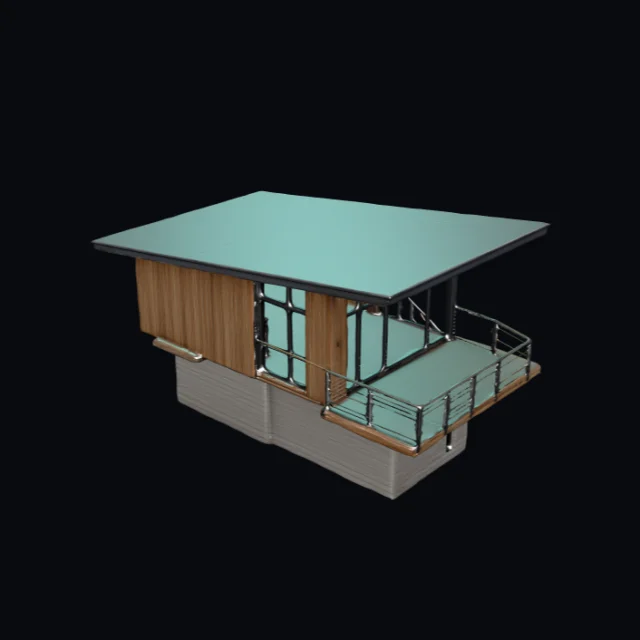
 Cedar observatory cabin · V1 model · GLBCreate similar
Free plan · Text & Image to 3D
AI 3D Generator for Text and Images
Describe one object or upload a clear reference image. Choose a model, review the credit cost, and create a private 3D asset you can inspect before export.
Original asset gallery
Explore original 3D model studies for the AI 3D Generator.
Cedar observatory cabin · V1 model · GLBCreate similar Cloud chaise lounge · V1 model · GLBCreate similar
 Bioluminescent seed pod · V1 model · GLBCreate similar
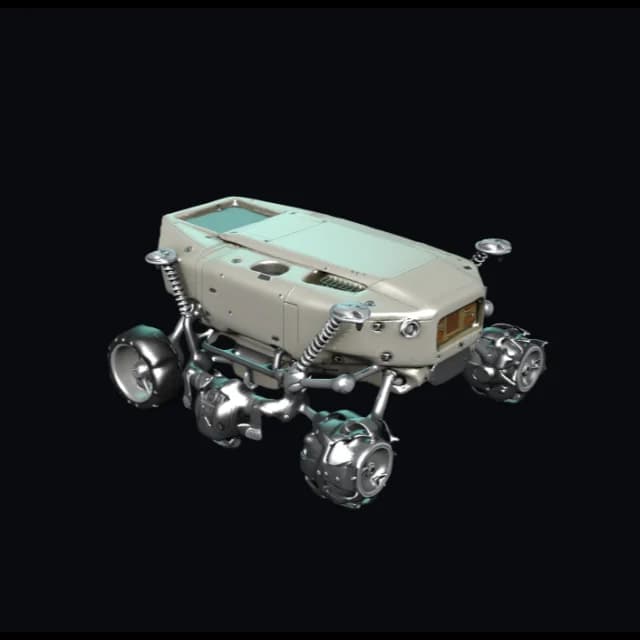 Lunar sampling rover · V3 model · FBXV3.0Create similar
 Modular desktop speaker · V3 model · FBXV3.0Create similar
 Moss stone guardian · V3 model · FBXV3.0Create similar
 Brass beetle scout · V4 model · GLBV4.0Create similar
 Unbranded trail runner · V4 model · GLBV4.0Create similar
Choose the model version for the work in front of you.
Start fast when you need a shape check, choose V3 for material and topology review, or use V4 when the presentation needs more surface detail.
Best for production review
V3.0 · Reviewable asset
Optional textures, PBR materials, detailed geometry, and quad topology for a more complete review pass.
Create with V3.0V3 model example
Turn an idea into an inspectable 3D asset.
Start from text or an image. Check the silhouette, geometry, materials, lighting, orientation, and mesh from every side.
Example brief
“Compact orbital field rover, graphite shell, exposed suspension, twin sensor mast, soft industrial details, stable four-wheel stance.”
MODEL REVIEWASSET / 004
AI3D / REAL MODEL360°
Orbit review
SUN
Light test
GRID
Mesh check
How it works
How the AI 3D Generator works
Start with a focused prompt or clear reference image. Generate the asset, inspect it in 3D, then choose the next workflow.
Describe or upload
Choose text when you can describe the subject, shape, materials, and use case; choose one clear reference image when those details are easier to show.
Generate a first version
Choose a model and sign in. The server checks your plan and reserves the credits needed for the AI 3D generation task.
Preview and export
Open the completed result in the private viewer, then choose only the download or conversion paths supported by that asset and your current access.
Choose your input
Choose text to 3D or image to 3D.
Text to 3D
Describe one subject, its silhouette, material, style, and intended use. A focused brief gives the model a clearer direction.
Open text workspaceImage to 3D
Upload a centered PNG, JPEG, or WebP reference when shape, proportion, or surface detail is easier to show than explain.
Open image workspaceUse cases
3D models for your next project.
Start from a text prompt or reference image, then shape an early asset for games, product design, 3D printing, AR and web experiences, education, film, or marketing.
Game development
Turn a written brief or reference image into an early prop, character, vehicle, or environment model for an art-direction check ahead of the final asset pass.
Product design
Compare shape, proportion, and material direction in 3D ahead of detailed CAD, modeling, or rendering work.
3D printing
Create an early mesh for an STL or 3MF workflow, then inspect orientation and export options before moving into slicing or repair.
AR and web
Move an inspectable GLB or USDZ concept into a web preview, AR demo, or product presentation when the export path supports it.
Education and STEM
Turn a clear brief into a model students can inspect, discuss, revise, and compare with the original idea.
E-commerce
Create an early product form from a reference image, then use the viewer and converter to prepare a more useful 3D content handoff.
Film and animation
Block out props, creatures, and set pieces in 3D before the production model, textures, and final animation work are ready.
Marketing content
Create a first 3D direction for campaigns, thumbnails, product stories, or interactive demos that need more depth than a flat reference.
Creator tools
AI 3D Generator tools from creation to export.
Generate, inspect, convert, and organize 3D assets in one workspace. Browser tools handle quick local previews and supported exports.
Free 3D Model Viewer
Open a supported 3D model free in the browser. Use orbit, lighting, material, wireframe, and orientation controls without automatically uploading the source file.
Free 3D Model Converter
Convert supported 3D files free through browser-local paths, with format warnings for textures, animation, materials, and mesh data.
Text to 3D AI Generator
Write a prompt with the subject, silhouette, materials, style, and intended use, then create a tracked text-to-3D model.
Image to 3D AI Generator
Upload one clear PNG, JPEG, or WebP reference when an object's shape and proportion are easier to show than describe.

Creations
Keep submitted tasks, completed assets, credit records, and private download choices connected to the account that created them.
Model lab
Follow model-release updates without treating an unfinished provider path or commercial entitlement as a public product promise.
Why AI3DGenerator
Why creators use AI3DGenerator for a first 3D model
Turn a useful input into an asset you can inspect, discuss, and move into a real 3D workflow.
A clear first version
Start with one subject and the few visual details that materially change shape, material, or intended use instead of burying the model in an unfocused prompt.
Preview before export
Inspect silhouette, material response, lighting, and orientation in the viewer before you choose a download, conversion, or downstream workflow.
Private by default
Server-side generations remain tied to the account that submitted them, and private preview or download access uses short-lived signed URLs.
One place for the next step
Generation history, private viewing, format-aware conversion, and available downloads stay connected instead of sending you through unrelated tools.
Explicit format boundaries
The product shows browser-local exports only where the current libraries support them, and labels preview-only or server-assisted paths instead of overpromising.
Built to grow carefully
Provider adapters, account rules, and output capabilities stay explicit so a new model can be added without silently changing the generation workflow.
Export formats
Choose a supported 3D model format for the next tool.
Match the asset to your next tool: GLB and glTF for the web, FBX and OBJ for DCC or games, STL and 3MF for print, and USDZ for AR.
GLB
Web and AR-ready
Local export
glTF
Open scene format
Local export
OBJ
Universal exchange
Local export
FBX
Game and animation
Preview / input
STL
3D printing
Local export
PLY
Mesh and scan data
Local export
USDZ
Apple AR
Local export
3MF
Modern printing
Viewer-local export
What creators say they need from a first 3D model
From concept and print planning to game assets and product visualization, a model becomes useful when it helps the next decision.
“The first model only needs to answer one question for me: does the silhouette read? If it does, the team has something concrete to build on.”

Maya Stone
Concept artist


FAQ
AI 3D generator FAQs
Answers about the Free plan, text and image inputs, account requirements, local tools, failed tasks, private assets, and 3D model formats.
Free plan available